0G Galileo Testnet
Test your applications on 0G's infrastructure without real costs or risks.
Network Details
| Parameters | Network Details |
|---|---|
| Network Name | 0G Galileo Testnet |
| Chain ID | 16602 |
| Token Symbol | 0G |
| RPC URL | https://evmrpc-testnet.0g.ai (development only, use a 3rd party RPC for production) |
| Block Explorer | https://chainscan-galileo.0g.ai |
| Faucet | https://faucet.0g.ai |
| Faucet (Google Cloud) | https://cloud.google.com/application/web3/faucet/0g/galileo |
✅ 3rd Party RPCs (Recommended for production)
Getting Started
Step 1: Add Network to Wallet
Remove any old 0G testnet configurations before adding Galileo (steps below).
Removing an old 0G testnet from MetaMask
The old testnet versions are no longer active. Remove them from your MetaMask network list before adding the current 0G Galileo Testnet, to avoid conflicts.
-
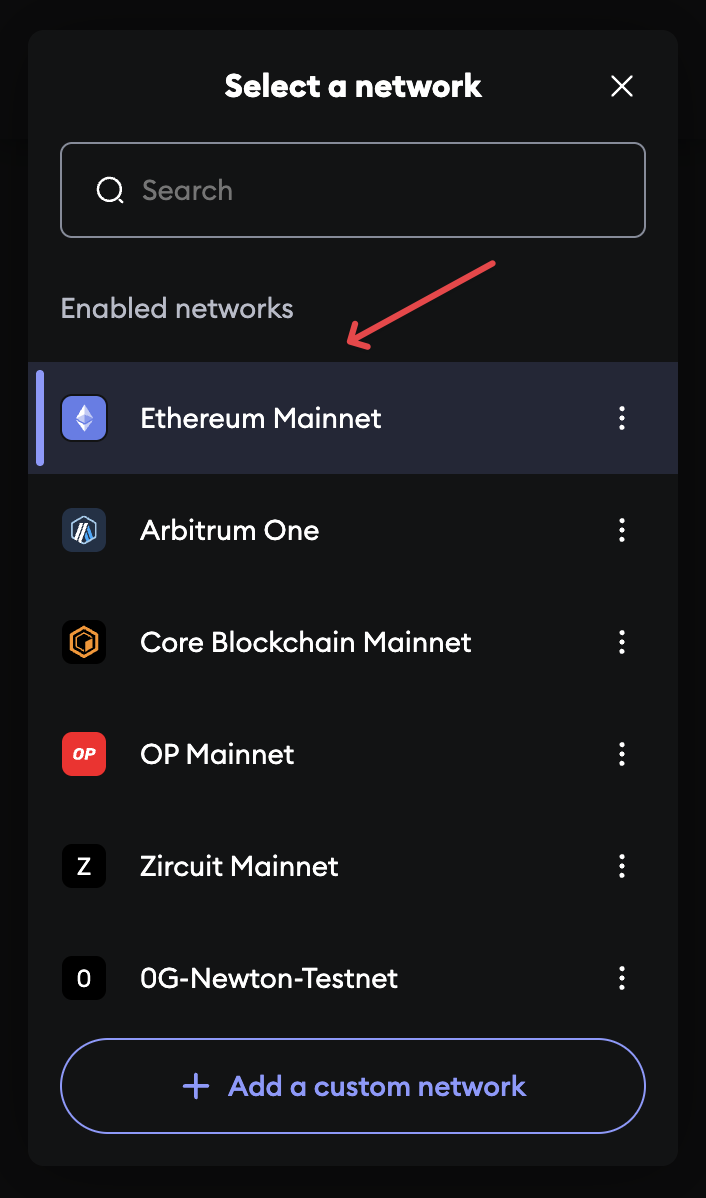
Open MetaMask and click the network dropdown menu at the top.
-
Select any network other than 0G-Testnet.
-
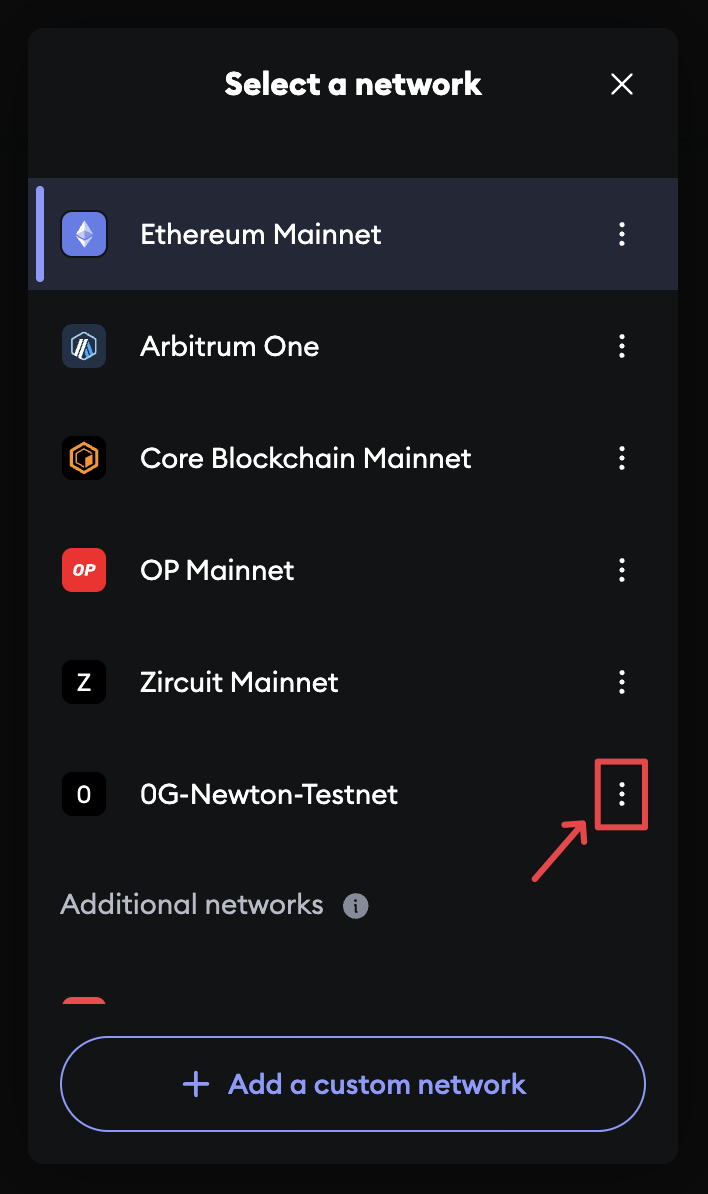
Open the network dropdown menu again.
-
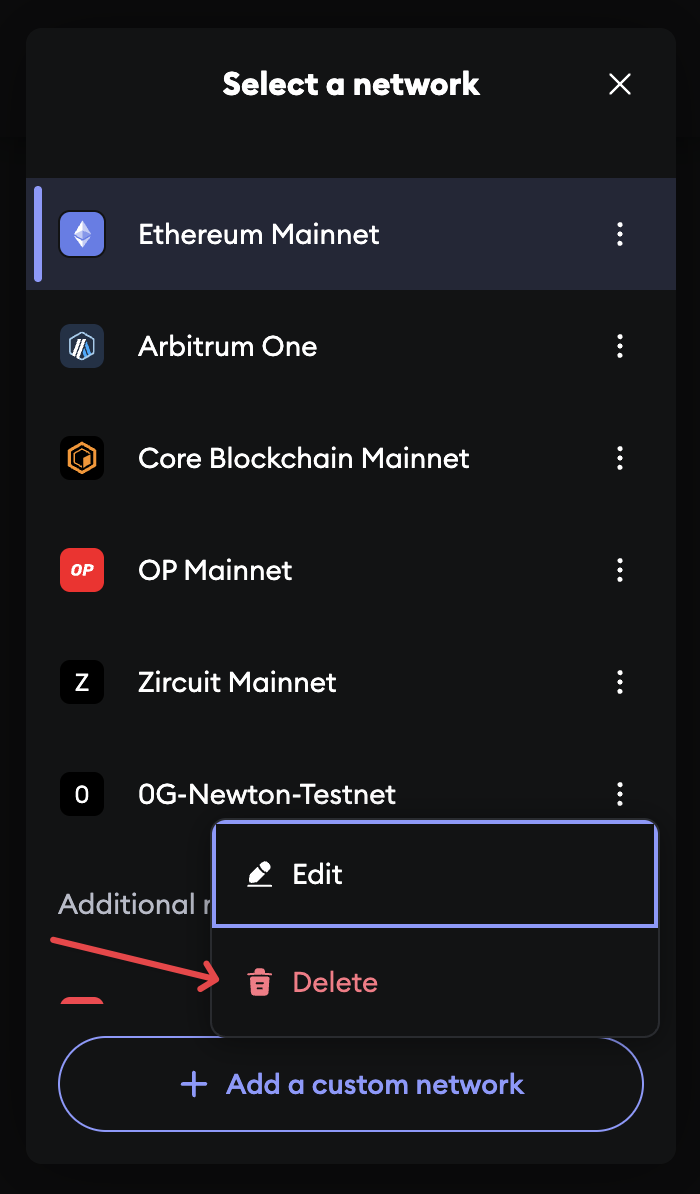
Find 0G-Testnet in the list and click the three vertical dots icon next to it.
-
Select the Delete option from the menu.
-
Confirm the deletion when prompted by MetaMask.
-
Once removed, click the "Add to MetaMask" button above again.
Step 2: Get Test Tokens
Visit the 0G Faucet or the Google Cloud Faucet to receive free testnet tokens. Daily Limit: 0.1 0G per wallet.
Step 3: Start Building
Choose your integration:
Contract Addresses
Addresses may change during testnet.
0G Storage
- Flow:
0x22E03a6A89B950F1c82ec5e74F8eCa321a105296 - Mine:
0x00A9E9604b0538e06b268Fb297Df333337f9593b - Reward:
0xA97B57b4BdFEA2D0a25e535bd849ad4e6C440A69
0G DA
- DAEntrance:
0xE75A073dA5bb7b0eC622170Fd268f35E675a957B
Developer Tools
Block Explorers
- Chain Explorer: View transactions, blocks, and smart contracts
- Storage Explorer: Track storage operations and metrics
Development RPC
This endpoint is for development purposes and should not be used in production applications.
https://evmrpc-testnet.0g.ai
Faucet
-
Use the official Faucet or the Google Cloud Faucet to request tokens. Each user can receive up to 0.1 0G token per day, which is sufficient for most testing needs.
-
If you require more than 0.1 0G token per day, please reach out in our vibrant discord community to request additional tokens.